Report a spam call in two deliberate steps
Pick what kind of call it was, then confirm. Neither step can be skipped, so a stray tap cannot send a report and the data stays clean.
How do I report a spam call?
Open the report from a card’s Report button, from the number search or from the call history. Then two steps.
Pick a category
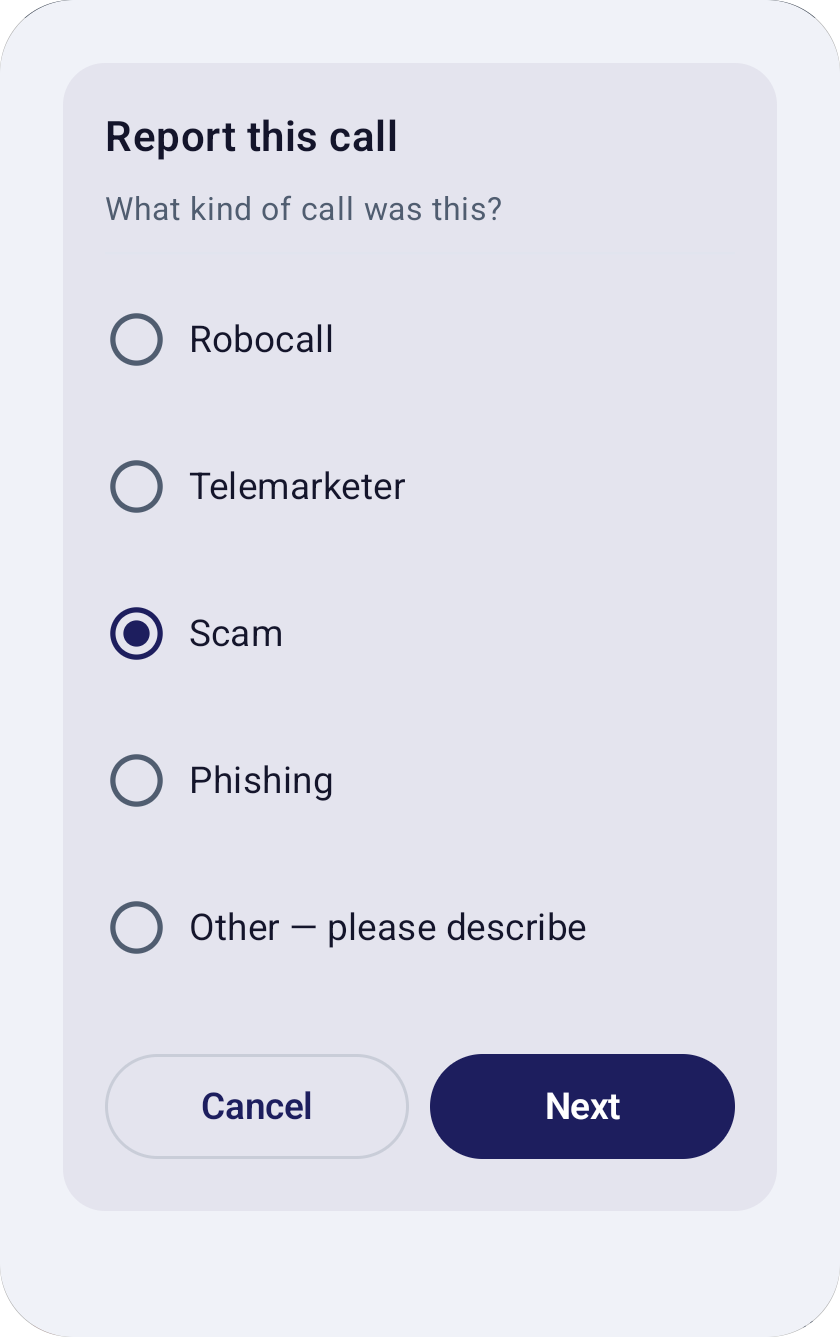
The dialog “Report this call” asks “What kind of call was this?” The choices are Robocall, Telemarketer, Scam, Phishing, or Other, where you must describe the call (up to 500 characters).
Confirm
A second dialog, “Confirm report”, asks “Submit report for ***0142 as Scam?” with Cancel and Submit. Only Submit sends it.
Done
You see “Report sent, thank you”, with an optional Block button for that number.
What do the two steps look like?
Real screens from the app, with a fictional number. The number appears only as its last four digits in the confirmation.
Step 1. Choose a category. “Other” needs a description. 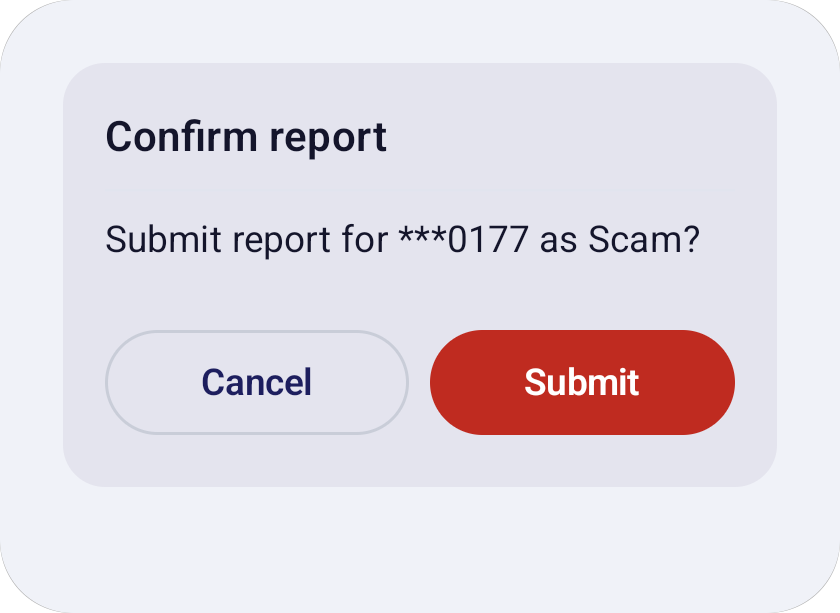
Step 2. Confirm the exact number and category, or cancel.
Why is reporting not a single tap?
Because a report that is too easy to send is mostly noise, and noise makes every card less trustworthy.
Two deliberate steps keep out accidental taps and low-effort spam. A category also makes each report more useful: it can become the label other people see, such as “Scam” or “Telemarketer”.
It is at least three taps: the category, Next, then Submit. That is on purpose.
What are the limits on reports?
One report per number per phone every 24 hours, and ten reports per phone each day.
- One per number per day
- Report the same number again within 24 hours and the app says “You already reported this number today”.
- Ten per phone per day
- A phone can send at most 10 reports in 24 hours.
- Odd patterns go to review
- If more than 50 phones report one number within an hour, or a number shows early-spam patterns, it goes to a manual review queue. Scores do not change automatically.
What happens after I report?
The number’s score goes up right away on live lookups. How far depends on how many phones agree.
- The score moves
- A report counts toward the number’s report volume. Reports from a new phone count for less than reports from a phone with a history of accurate reports.
- One report is not a verdict
- A single report from a new phone on an unknown number leaves it at low risk. It takes several phones to reach “Suspicious”.
- A community label needs agreement
- A label such as “Scam” appears only after at least 2 phones agree within 90 days. “Other” never becomes a label. A label from a data source such as the FTC is never replaced by a community label.
- Other phones get it after a second report
- A number reported from 2 or more phones in 90 days is added to every phone’s offline list.
What does a report send and keep?
A report is the one action that ties a number to your phone’s random ID.
- Sent
- The reported number, the category, the note (only for “Other”, up to 500 characters) and your phone’s random device ID.
- Kept
- All of that, plus the time and the device’s trust weight. No retention period is defined yet. The note is never shown to other users.
- Your history
- A “My reports” list stays on your phone.
The device ID is a random number your phone makes for itself. There is no account. Clearing the app’s data or reinstalling creates a new one. More on the privacy page.
Reporting questions
Can I report from the notification card?
Why was my report not counted twice?
Does my report warn everyone right away?
What is the difference between Report and Spam?
Is the description I write public?
Keep reading

Join the waitlist
Realcaller is in development and not on Google Play yet. Leave your email and country, and we will use them only for the waitlist.